
Create an API Key
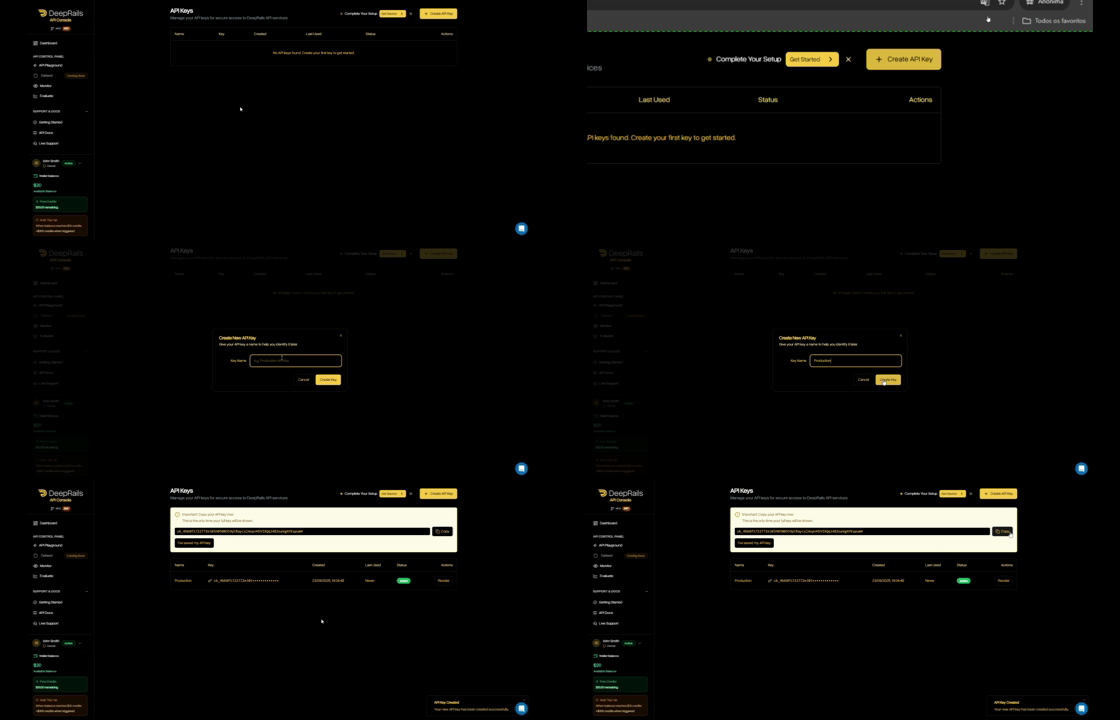
- In your organization’s DeepRails API Console, go to API Keys.
- Click Create key, name it, then copy the key.
- (Optional) Save it as the
DEEPRAILS_API_KEYenvironment variable.
Install the SDK
- Python
- TypeScript / Node
- Ruby
- Go
Create a Monitor
Before you can send events, you need to create a monitor. A monitor is a container for tracking production events and their evaluations.Tip: You can also create a monitor via the DeepRails API Console.
- Python
- TypeScript / Node
- Ruby
- Go
Required Parameters
| Field | Type | Description |
|---|---|---|
name | string | The human-readable name of the monitor |
guardrail_metrics | string[] | A list of one or more metrics that events associated with this monitor will be evaluated on |
Optional Parameters
| Field | Type | Description |
|---|---|---|
description | string | A description of the monitor and/or the associated production use case |
web_search | bool | Whether or not web search is added as an extended capability for this monitor’s evaluations. Defaults to false |
file_search | bool | A list of file IDs to be used for file search in this monitor’s evaluations. If nothing is passed, file search will not be used |
Send Your First Monitor Event
Use the SDK to log a production event (input + output). The SDK automatically triggers an evaluation of the guardrail metrics assigned to the monitor and links the result to the event.- Python
- TypeScript / Node
- Ruby
- Go
Required Parameters
| Field | Type | Description |
|---|---|---|
monitor_id | string | The ID of the monitor to receive the event (find it in Console → Monitor → Manage Monitors). |
model_input | object | Must include at least system_prompt or user_prompt. |
model_output | string | The LLM output to be evaluated and recorded with the event. |
Retrieve Monitor Data
You can retrieve monitor details including stats on evaluation progress.- Python
- TypeScript / Node
- Ruby
- Go
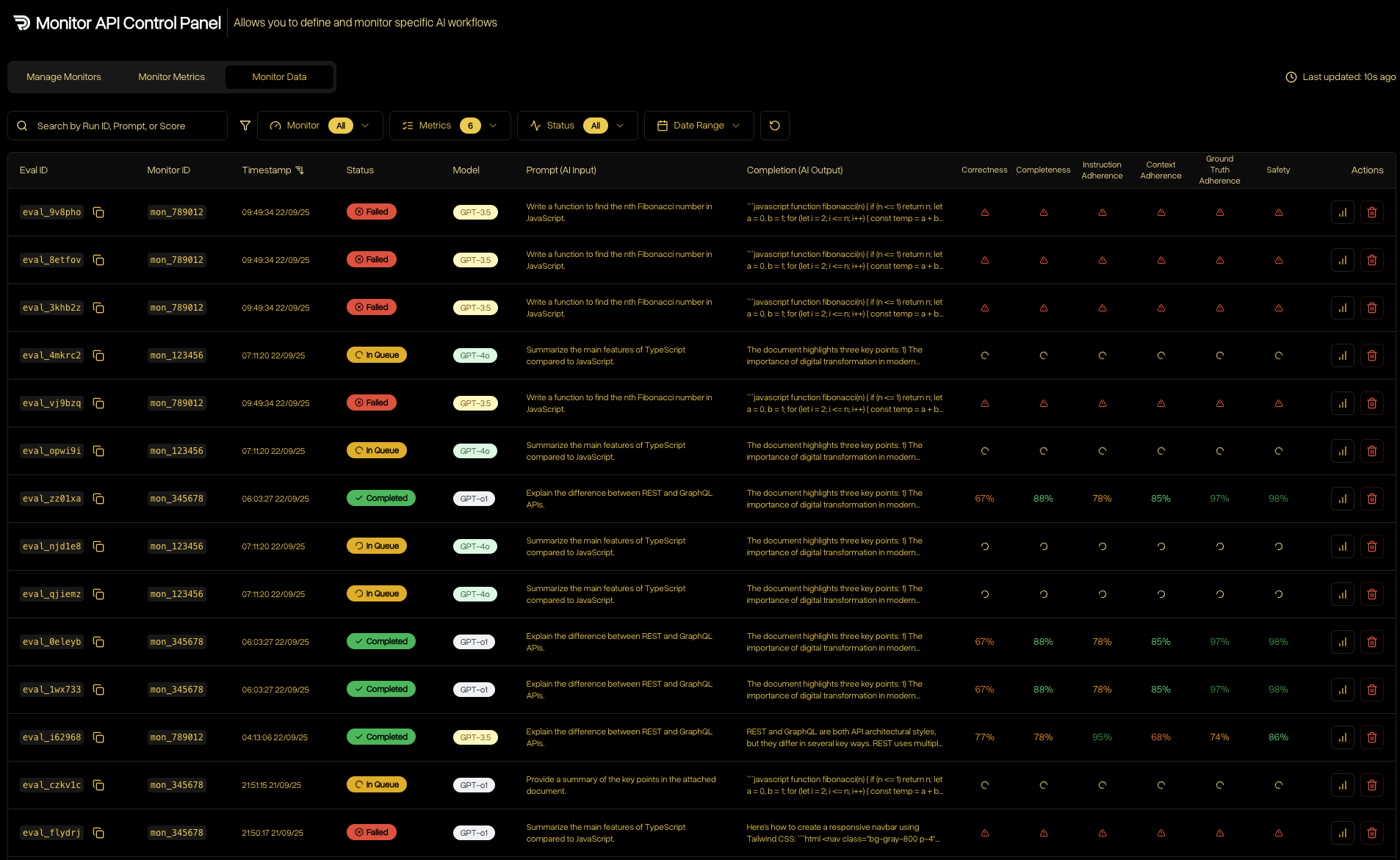
Check Monitor Analytics via the API Console
- Open DeepRails API Console → Monitor → Data.
- Filter by model, time range, or search by
monitor_idto find events. - Open any event to see the linked evaluation scores and rationales.
Next Steps
Learn About Guardrails
Explore the metrics behind evaluations—correctness, safety, completeness, and more.
Monitor Overview
Learn core Monitor concepts and how it fits into your flow.