
Create an API Key
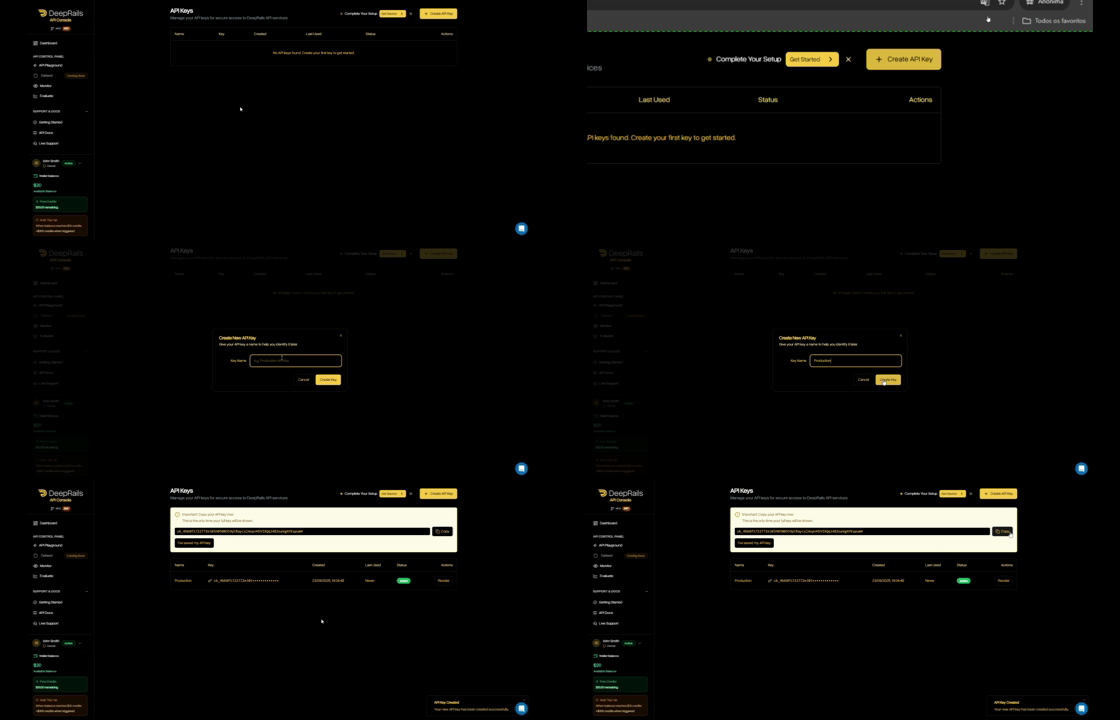
- In your organization’s DeepRails API Console, go to API Keys.
- Click Create key, name it, then copy the key.
- (Optional) Save it as the
DEEPRAILS_API_KEYenvironment variable.
Install the SDK
- Python
- TypeScript / Node
- Ruby
- Go
Create your first Defend workflow
Before you can submit events to be evaluated and potentially remediated, you have to create and configure a workflow.A workflow is an abstraction for a specific production use of Gen AI, and its configurations determine which guardrail metrics are evaluated, at what thresholds, and how issues are remediated.
- Python
- TypeScript / Node
- Ruby
- Go
Required Parameters
| Field | Type | Description |
|---|---|---|
name | string | The name of the workflow |
threshold_type | string | The workflow type (either automatic or custom), which determines whether thresholds are specified by the user or set automatically. |
improvement_action | string | The action (either fixit, regen, or do_nothing) that Defend uses to remediate outputs when they fail one or more guardrail metrics. |
Optional Parameters
| Field | Type | Description |
|---|---|---|
description | string | A description of the use case of the workflow or other additional information. |
custom_hallucination_ threshold_values | object | The mapping of guardrail metrics to floating point threshold values. This determines which metrics Defend will evaluate and how strict each threshold is for custom workflows. |
automatic_hallucination_ tolerance_levels | object | The mapping of guardrail metrics to strings representing the level used to calibrate thresholds (either low, medium, or high). This determines for automatic workflows which metrics Defend will evaluate and how strict each threshold is for automatic workflows. |
max_improvement_attempts | integer | The maximum number of improvement attempts to be applied to one workflow event before it is considered failed. Defaults to 10. |
web_search | boolean | Whether or not the extended AI capability, web search, is available to the evaluation and remediation models. |
file_search | string[] | A list of files for the evaluation and remediation models to search using the extended AI capability, file search, if non-empty. |
Submit a Workflow Event
Use the SDK to log a production event (input + output). This creates a workflow event and automatically triggers an associated evaluation using the guardrail metrics you pass.If the evaluation fails for one or more metrics, the improvement action specified for the affliated workflow will be used to remediate the output. Then, that improved output will be evaluated and potentially improved again, if needed.
The improvement process will repeat for that event until all guardrails pass or the maximum number of retries is reached.
Tip: You can also submit a workflow event via the DeepRails API Playground.
- Python
- TypeScript / Node
- Ruby
- Go
Required Parameters
| Field | Type | Description |
|---|---|---|
workflow_id | string | The ID of the Defend workflow associated with this event. (find it in Console → Defend → Manage Workflows) |
model_input | object | Your prompt + optional context. Must include at least system_prompt or user_prompt. |
model_output | string | The LLM output to be evaluated and recorded with the event. |
model_used | string | The model used to generate the output, like gpt-4o or o3. |
run_mode | string | Run mode for the workflow event that determines which models are used to evaluate the event. Available run modes include precision_plus, precision, smart, and economy. Defaults to smart. |
Optional Parameters
| Field | Type | Description |
|---|---|---|
nametag | string | A user-defined tag for the event. |
Retrieve Workflow Data
You can retrieve workflow details and fetch events from a specific workflow.- Python
- TypeScript / Node
- Ruby
- Go
Check Defend Outcomes via the API Console
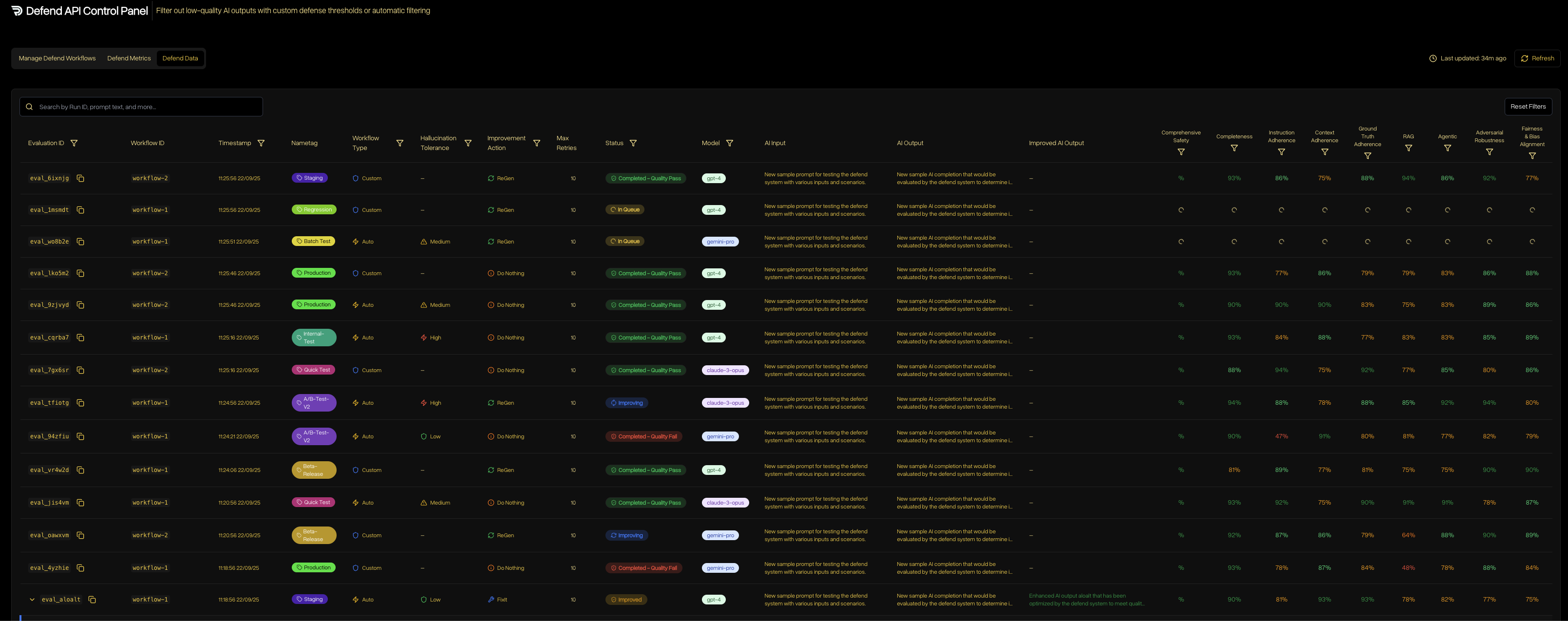
- Open DeepRails API Console → Defend → Data.
- Filter by time range or search by
workflow_idornametagto find events. - Open any event to see guardrail scores and remediation chains (FixIt/ReGen).
Next Steps
Configure Guardrails
Explore the metrics behind evaluations—correctness, safety, completeness, and more.
Defend Overview
Learn how workflows, metrics, and remediation work together.